NET OPTIMIZER
A downloadable tool
NET OPTIMIZER – Smart Network Switching & Latency Monitor
NET OPTIMIZER is a Windows utility designed to monitor and optimize internet connectivity between Wi-Fi and Ethernet in real time. It continuously analyzes network performance using latency (ping) and packet loss, then automatically selects the most stable connection for optimal performance.
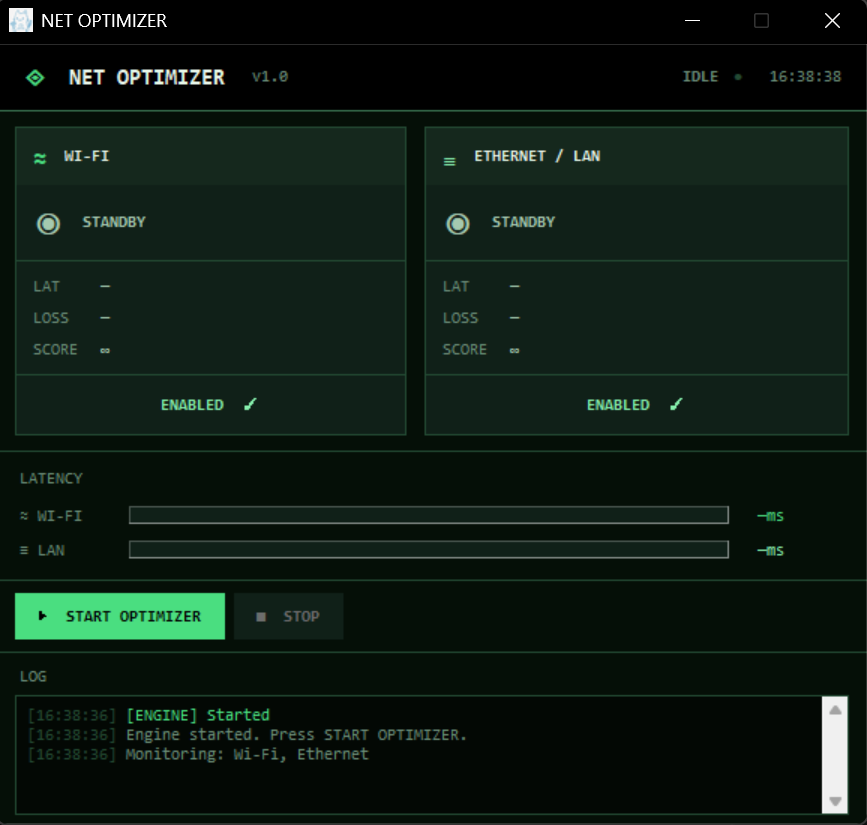
The tool provides a modern dashboard interface that visualizes network health, connection scores, and live status updates.
Key Features:
- Real-time monitoring of Wi-Fi and Ethernet performance
- Automatic switching based on latency and packet loss
- Smart decision system with cooldown and stability protection
- Live UI dashboard showing latency, score, and status
- Manual toggle for network interfaces
- System log for tracking optimization decisions
- Windows integration via PowerShell network control
How It Works:
The application sends periodic ping requests to external servers and evaluates network quality based on response time and stability. It then dynamically adjusts system network priority to route traffic through the best available interface.
Notes:
- Requires Windows OS
- Some features may require Administrator privileges
- Network performance depends on local environment and ISP conditions
Download
Click download now to get access to the following files: