AutoFlow Pro
A downloadable tool for Windows
Requirements
- Windows 7 / 10 / 11
- Python 3.8+ (3.11 recommended)
How to run
- Install Python from python.org (check "Add to PATH")
- Double-click
setup_all.bat - Double-click
run_dev.bat
Features
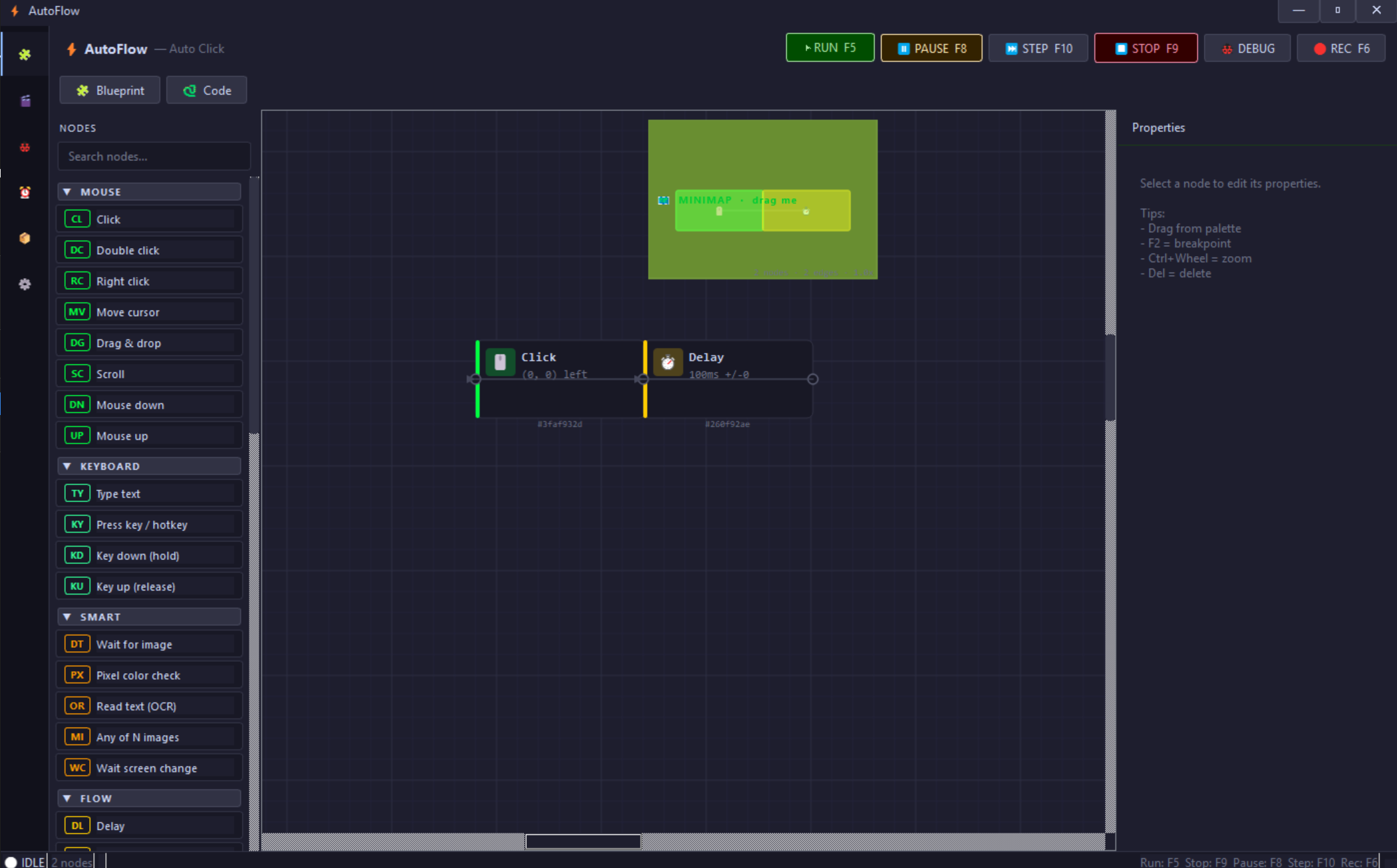
🖱️ Mouse & Keyboard — Click, double-click, drag, scroll, type text, press hotkeys, hold keys
🖼️ Image Detection — Find an image on screen and click it automatically. Great for games and repetitive UI tasks
👁️ OCR — Read text directly from the screen (requires Tesseract)
🪟 Background Mode — Send clicks and keystrokes to a specific window WITHOUT moving your real mouse. You can keep using your PC while it works
🐍 Blueprint ↔ Code — Switch between the visual node editor and editable Python code at any time
🎬 Recorder — Record your mouse and keyboard, then convert to a workflow with one click
⏰ Scheduler — Run workflows on a timer, daily schedule, or cron expression
🐞 Debugger — Set breakpoints, step through nodes one by one, inspect variables live
🔄 Flow Control — Loops, if/else conditions, while loops, random branches, parallel execution
📦 Variables & Data — Global/local variables, math, lists, dicts, file I/O, CSV, clipboard, HTTP requests
🎨 3 Themes — Hacker (black + green), Dark, Light. Custom black frameless title bar.
Templates included
Ready-to-use workflows: Auto Clicker, Game Quest Bot, Form Filler, Data Scraper, Key Presser, Mouse Jiggler, Smart Click, Scheduled Shutdown.
Hotkeys
F5 Run · F9 Stop · F8 Pause · F10 Step · F6 Record · Ctrl+Shift+Q Emergency Stop
Purchase
In order to download this tool you must purchase it at or above the minimum price of $2 USD. You will get access to the following files: